
01Hold & speak
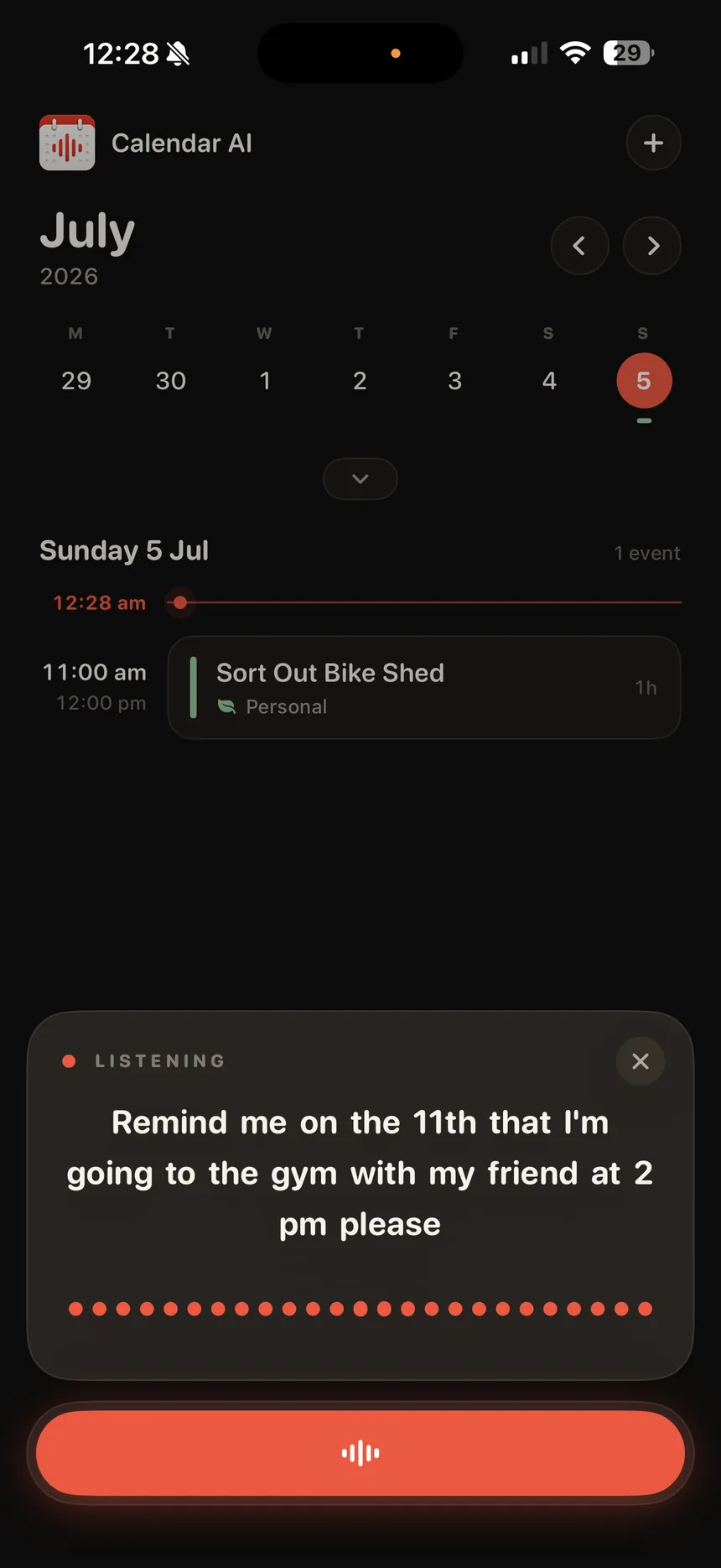
Say what's changing.
Hold the mic and talk like you'd talk to a person, one thing or five. Your words land on screen as you say them, transcribed on your iPhone.
Live transcript · On-device speechHold the mic and talk about your week the way you’d tell a friend. Calendar AI turns it into real events, shows you every change first, and keeps the receipts.
5.0Voice assistants usually ask you to trust a black box. Calendar AI is built the other way round: it proposes, you approve, and everything stays on the record.
Hold the mic and talk like you'd talk to a person, one thing or five. Your words land on screen as you say them, transcribed on your iPhone.
Live transcript · On-device speech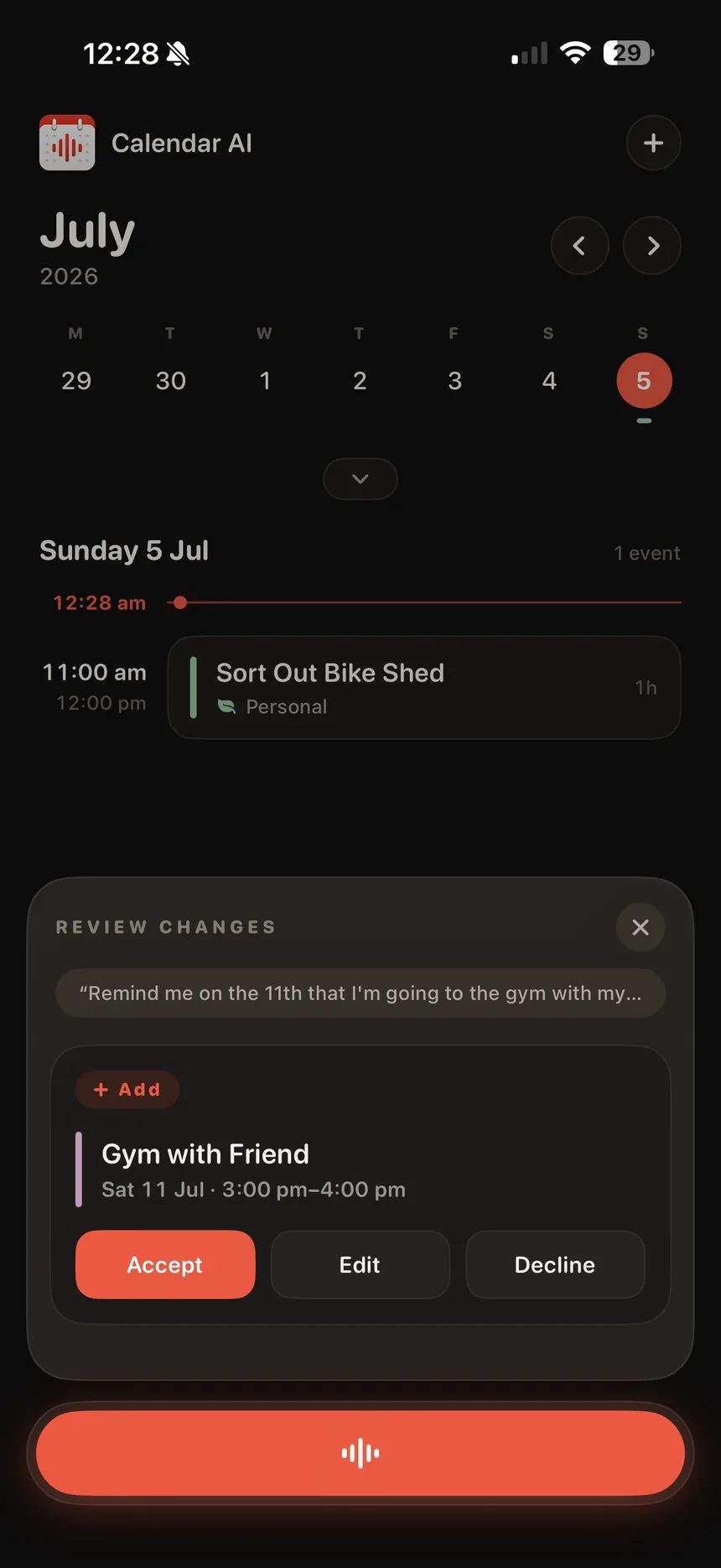
The assistant turns your words into concrete changes: add, move, cancel. It shows you each one first. Accept it, edit it, or decline it. Nothing touches your calendar without your OK.
Accept · Edit · Decline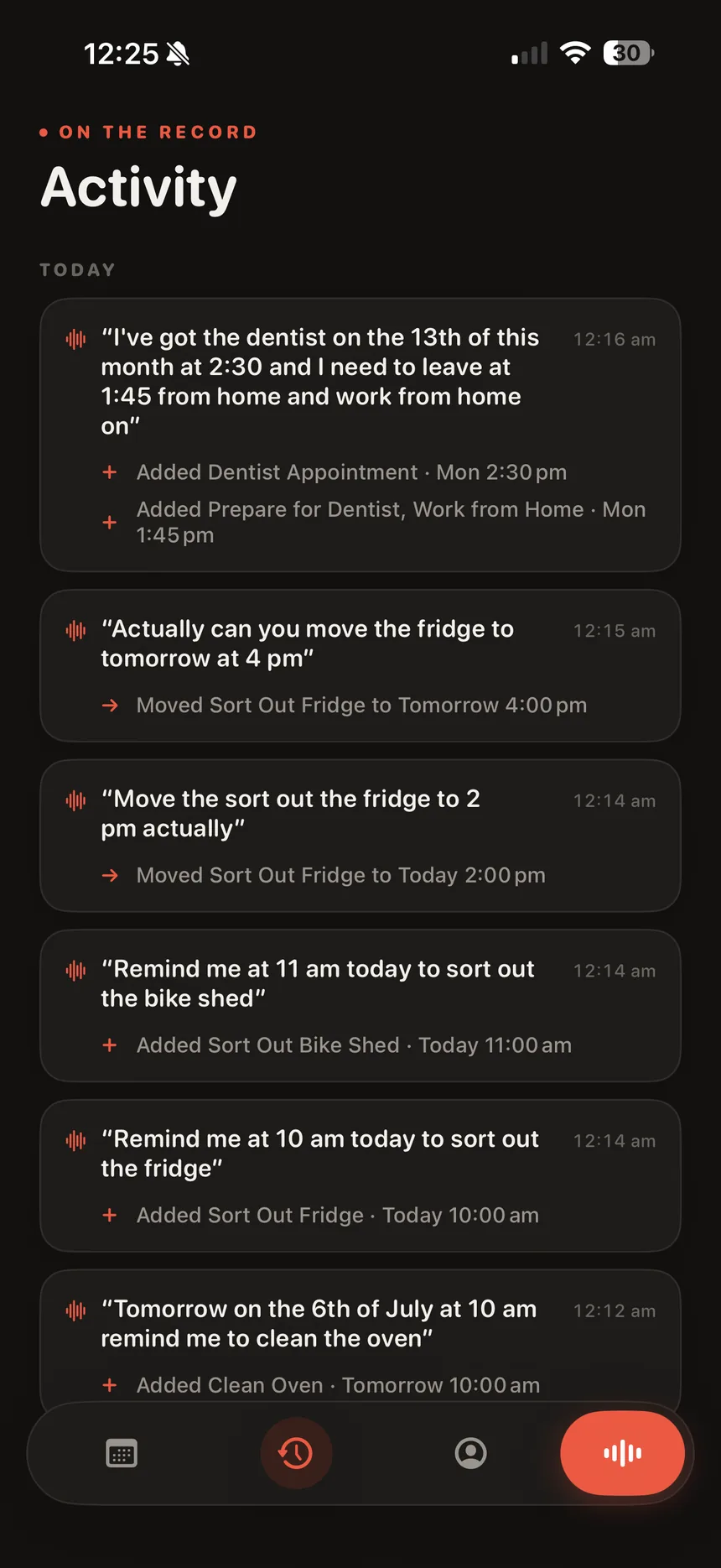
Activity keeps the ledger: what you said, what it did, when. If it moved your dentist appointment, you can see exactly why: because you asked it to.
Full history · Exact outcomes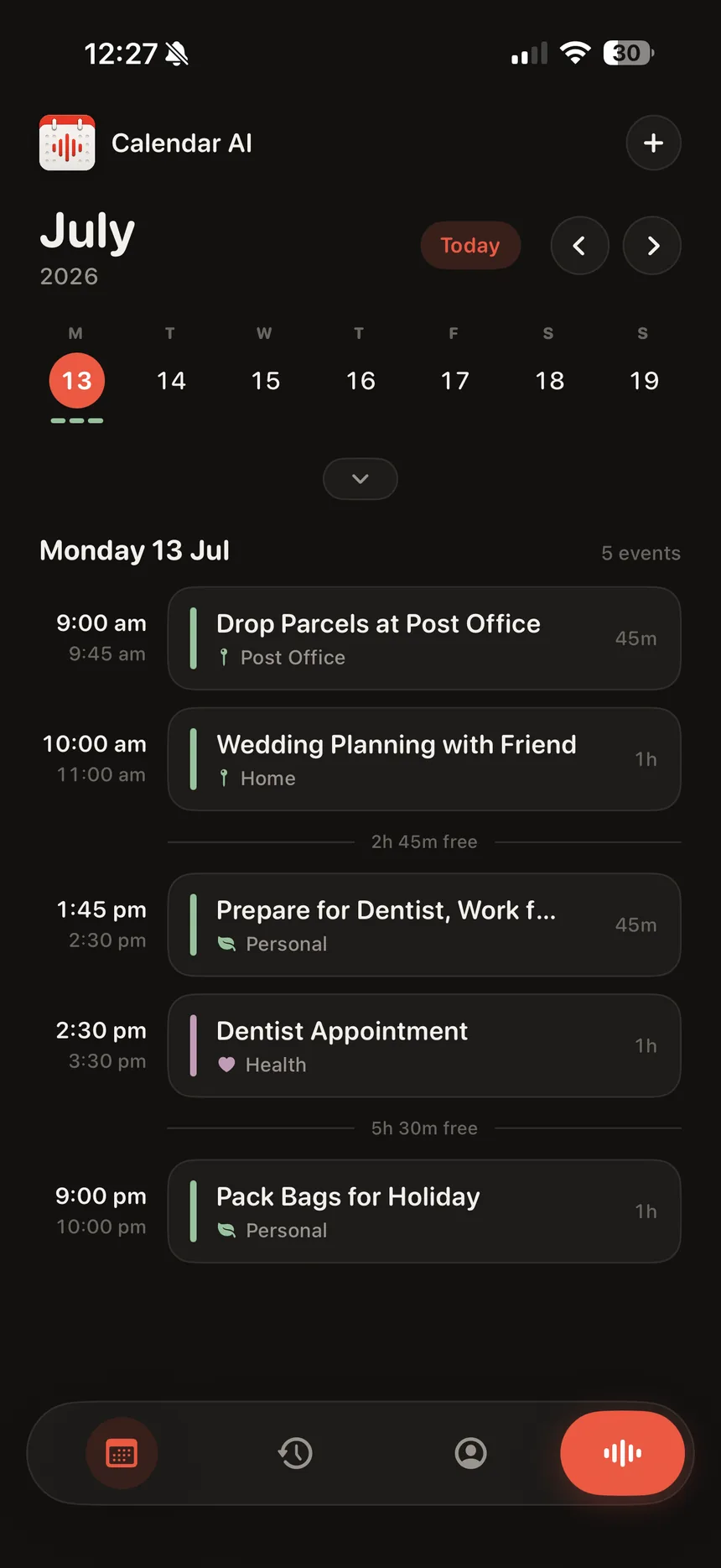
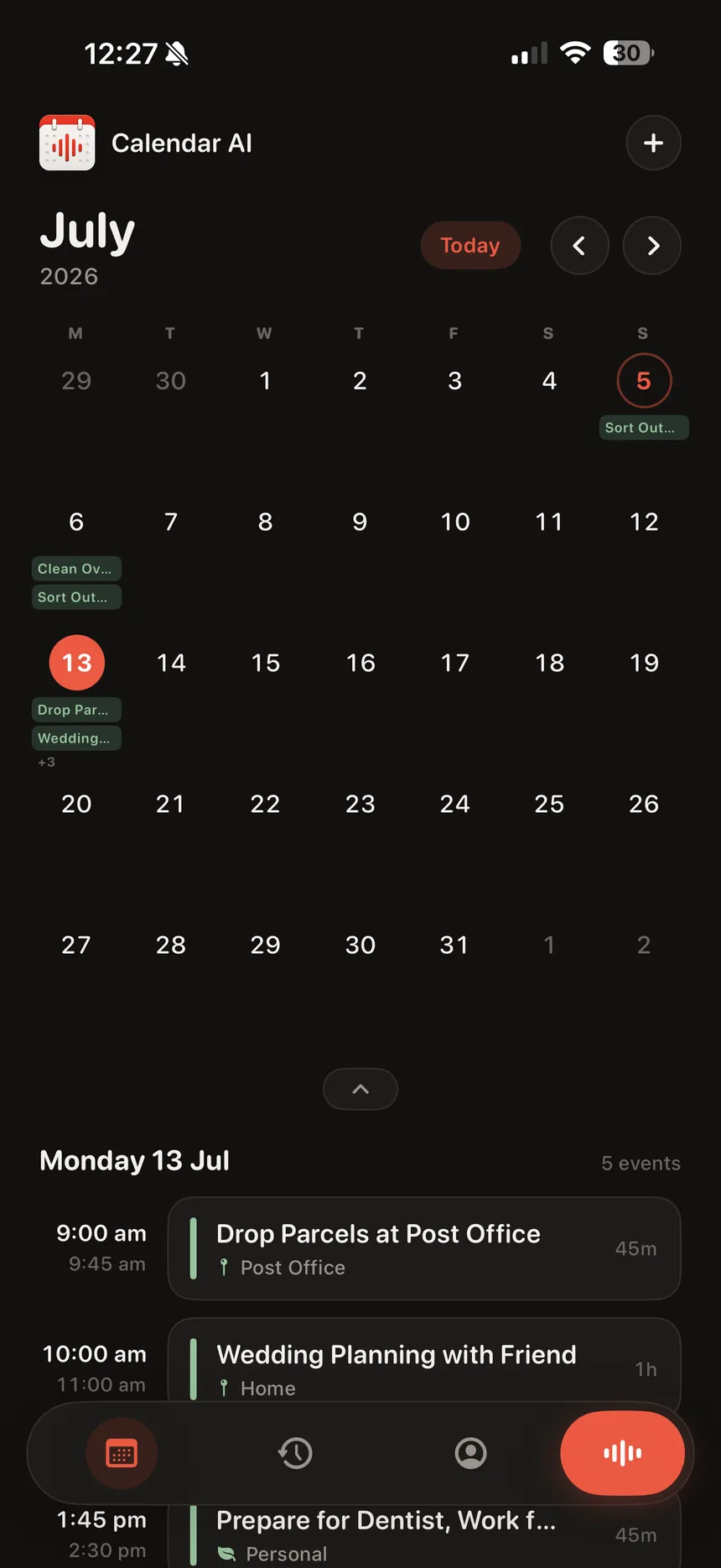
The voice is the shortcut. The calendar is the product. One home screen, two altitudes: a week ticker for the day-to-day that unfolds into a full month you can actually read, every day wearing its events at a glance.
Every change the assistant proposes waits for your Accept. Edit it or decline it. Your calendar, your call.
Your voice is turned into text on-device. Only the words you approve for scheduling leave the phone.
The Activity ledger keeps what you said and what changed, side by side. No mystery edits, ever.
5.0 stars · early access & TestFlight
Start with the next thing you were about to forget. Hold the mic, say it, approve it. Done.